
AutoMalaya OBD vs Car Scanner ELM OBD2
Choosing an OBD-II app for your iPhone or iPad? Here is an honest look at where Car Scanner ELM OBD2 is strong and where AutoMalaya OBD focuses, especially for drivers in Malaysia.
Car Scanner ELM OBD2
iOS & Android
A popular, free-to-start OBD-II app with extensive live-data dashboards and broad adapter support.
- •Customisable live-data gauges
- •Wide adapter compatibility
- •Free tier to get started
AutoMalaya OBD
iPhone & iPad (iOS / iPadOS 17+) · on the App Store
Built for Malaysian drivers, focused on understanding faults and used cars, not raw data alone.
- •Approximate Malaysia repair-cost ranges (RM), not just raw codes
- •Plain-English explanations with likely causes and repair priority
- •Dedicated used-car buyer inspection with a buyer-risk score and PDF
- •Native iPhone and iPad app (iOS 17+) with Widget, Live Activity, and Siri
- •Local-first and private by default; optional private iCloud sync
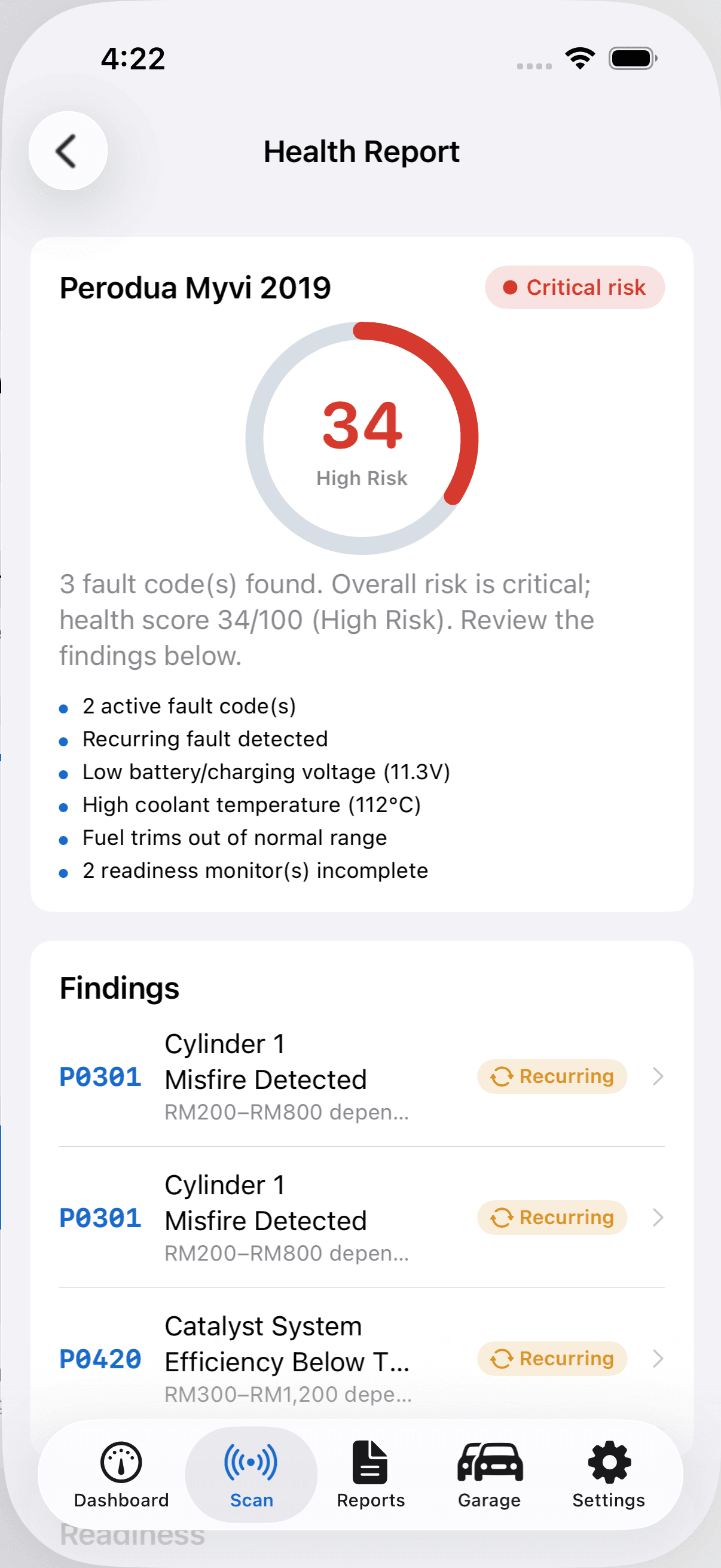
What AutoMalaya OBD shows you
Instead of raw numbers alone, you get a health score, plain-English findings, repair priority, and an approximate Malaysia cost range — in one report.
Which should you choose?
If you want deep, power-user data logging or specific platform features, Car Scanner ELM OBD2 may suit you. If you want clear answers, Malaysia repair-cost context, and a buyer-friendly used-car report on iPhone or iPad, AutoMalaya OBD is built for that.
Comparison based on publicly available information and may change. AutoMalaya OBD is available on the App Store. Both apps require a compatible OBD-II adapter; features depend on your car and hardware.
 Coming soon onAndroidSee a sample report